I Finally Understood MCPs After Using One to Design a Conference Nametag
I had heard about MCPs for a while and mostly ignored them. Then I used the Penpot MCP to design a conference nametag despite having minimal design instinct.
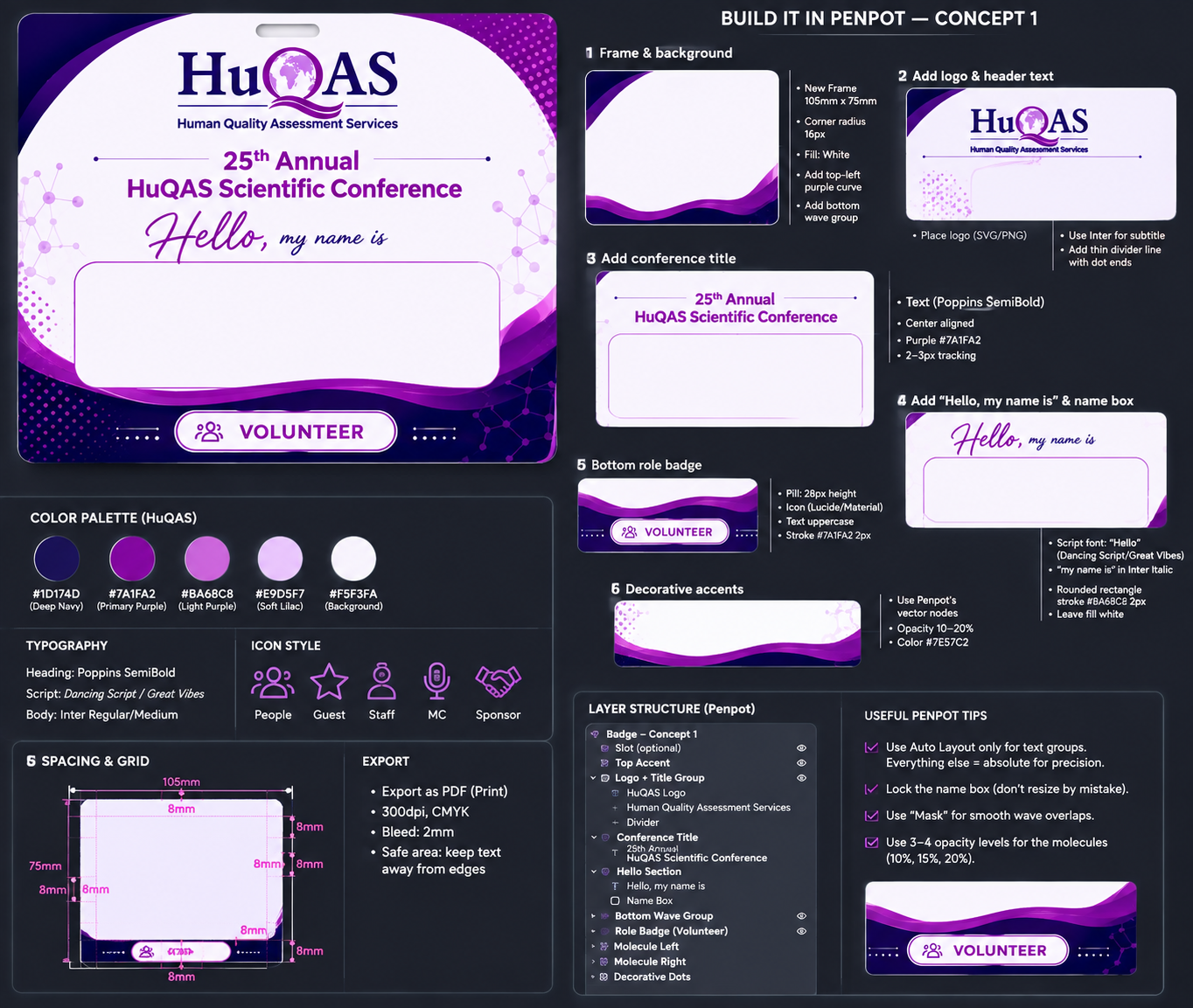
I had been hearing about MCPs for a while and, to be honest, I did not really care.
I knew MCP stood for Model Context Protocol. I knew it had something to do with connecting AI models to external tools. That was about it.
I had already used agents and skills, and those made sense to me because I had actually used them to get stuff done. MCPs still felt like another AI acronym that everybody was suddenly excited about.
Then I had to design a conference nametag.
That is when the whole thing finally clicked.
The problem: I am not a designer
I am a software engineer. I can look at a design and tell you whether I like it. I can also tell when something looks off. Producing a genuinely good design from a blank canvas is a completely different problem.
We needed nametags for the 25th Annual HuQAS Scientific Conference. I had a rough idea of what they should look like, the HuQAS colours, and a bunch of interesting nametag designs I had found online.
I also had this nametag from an earlier OpenInfra event in mind:
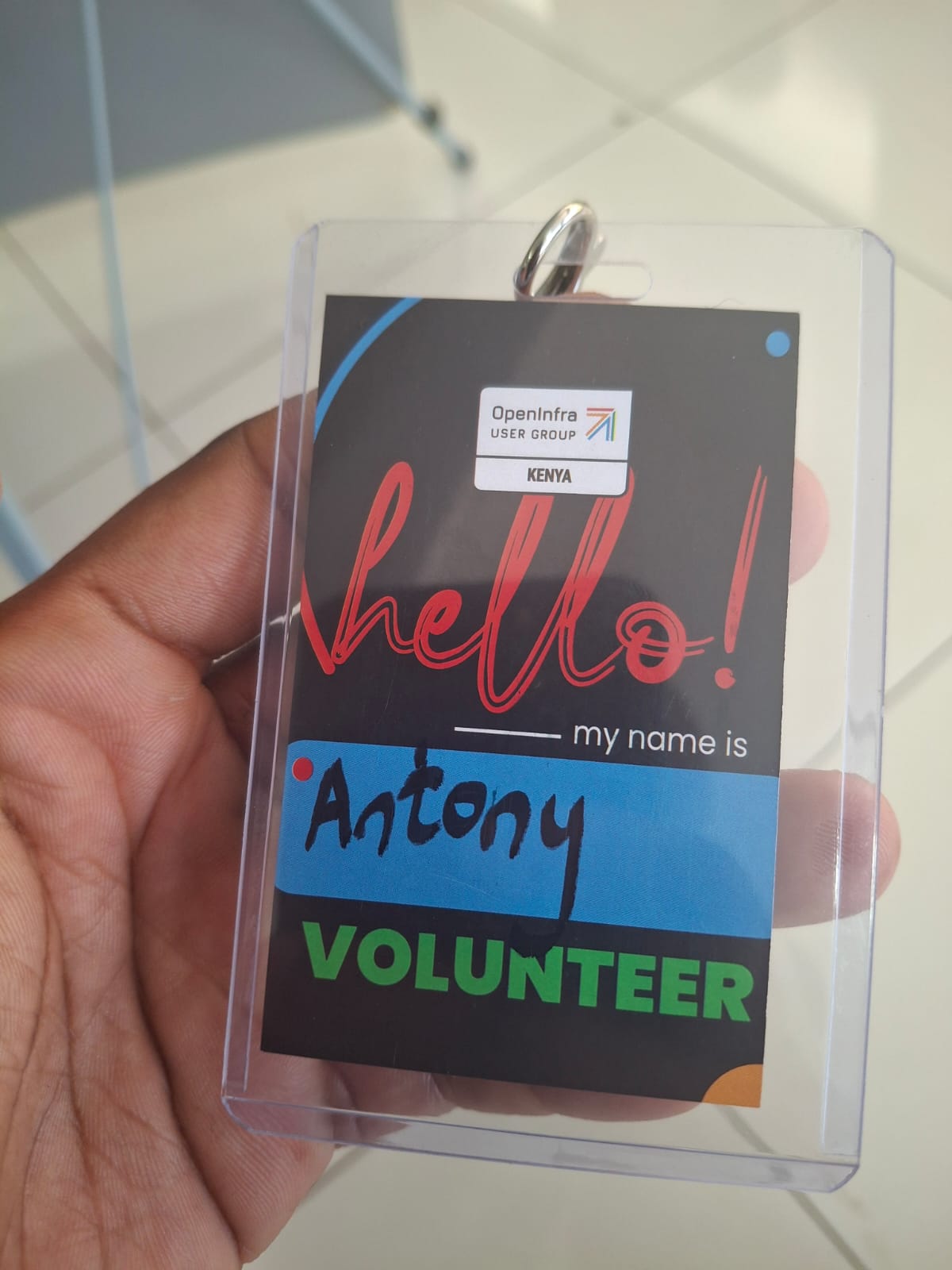
It worked, but we wanted something more polished for the HuQAS conference.
I first tried approaching the problem like a developer. I asked ChatGPT to help me recreate a design using HTML and CSS. It was not it. I tried Typst too. That got me closer to something printable, but I still wanted a proper design file that I could easily inspect and adjust.
That led me to Penpot, which was already appealing because it is open source.
The problem was that opening a design tool does not magically give you design instinct.
So where does the MCP come in?
I shared some nametag references with ChatGPT and explained what I wanted. I then asked it how I could connect an AI assistant directly to Penpot instead of having it give me instructions that I would have to recreate manually.
The answer was the Penpot MCP server.
The Model Context Protocol is an open standard that allows AI applications to connect to external tools, data, and workflows.
That definition is correct, but definitions had not helped me understand why MCPs were such a big deal.
Using one did.
Without the MCP, ChatGPT could tell me how to make the badge in Penpot.
With the MCP, an agent could actually use Penpot’s tools to create and modify the design.
That difference is the entire point.
The easiest way I can currently explain the pieces is:
- An agent is the thing reasoning about the task and deciding what to do.
- A skill gives the agent specialised instructions for doing a particular kind of work.
- An MCP server exposes tools and context from another application so the agent can actually work with it.
The agent is the worker. The skill is the playbook. The MCP gives the worker access to the actual tools.
It is not magic AI sauce. It is the plumbing that lets the AI do things outside the chat box.
My slightly ridiculous workflow
I did not know how to connect to the Penpot MCP or what I was supposed to prompt once it was connected.
So I used ChatGPT to tell me exactly how to do it.
I installed and configured the Penpot MCP in Zed after ChatGPT walked me through activating MCP use. Once the connection was working, I went back to ChatGPT and basically asked:
Give me the exact steps I need to prompt so I can get the design I want.
ChatGPT took my vague ideas and turned them into a detailed build plan with roughly ten steps. I then passed that plan to the agent in Zed, which used the Penpot MCP to create the design.
So the workflow was basically:
- Find nametag designs I liked.
- Show them to ChatGPT.
- Ask ChatGPT how to connect Zed to the Penpot MCP.
- Ask ChatGPT to turn my ideas into a proper design specification.
- Paste that specification into Zed.
- Let the Zed agent use the MCP to work inside Penpot.
- Look at the result, complain about whatever looked wrong, and repeat.
This is what the Penpot file looked like near the beginning:
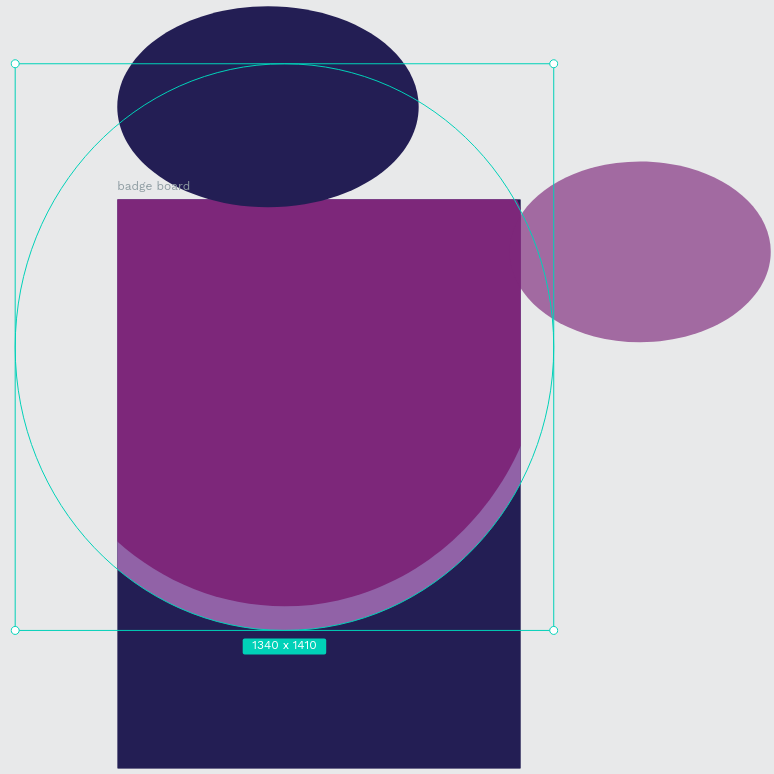
Some ellipses and a rectangle. Beautiful stuff.
When I write it out, the whole workflow sounds a bit unhinged. ChatGPT helped me prompt Zed, which used an MCP server to operate Penpot.
But it worked.
It was not one-shot magic
I do not want to make it sound like I typed one clever sentence and a perfect nametag fell out.
There was a lot of looking at the output and saying, “Nah, this bit looks wrong.” The first badge was too large, so we had to resize everything to 7 × 10 cm. I changed the layout, adjusted spacing, simplified parts of the design, and kept sending more specific instructions back to the agent.
I was not drawing every shape myself, but I was still making the decisions.
That part is important. The AI did not suddenly give me design taste. It helped me apply the little taste I already had without first becoming an expert Penpot user.
Eventually, we got here:
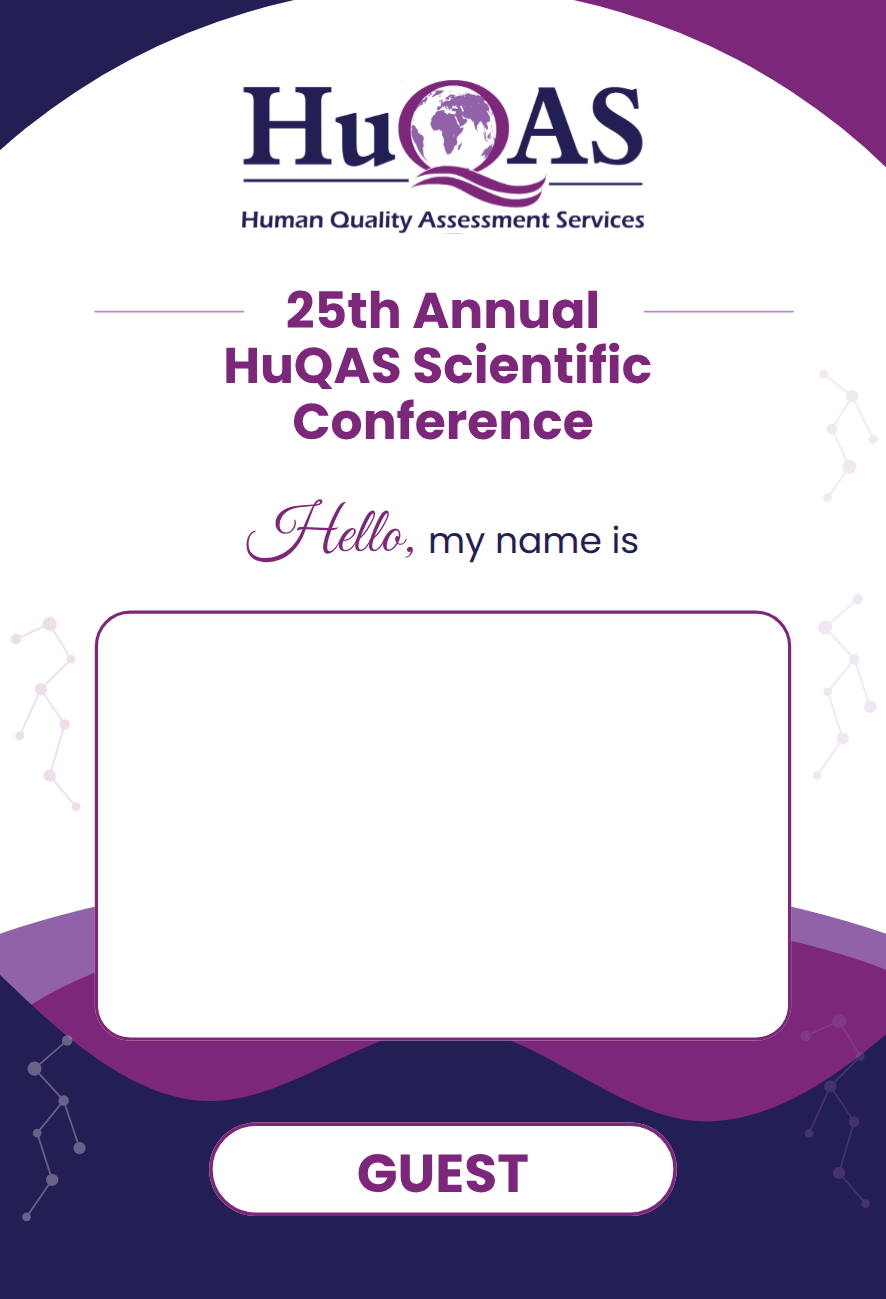
The final 70 × 100 mm guest badge exported from Penpot.
And it was beautiful.
More importantly, it was an actual editable design inside Penpot. I could inspect it, change it, export it, and prepare it for printing. It was not just a nice-looking image trapped inside a chat response.
Prompting felt a lot like writing a specification
One thing I liked about this process was that it still felt like software work.
The prompt that worked was not “make me a cool badge.” It included dimensions, colours, hierarchy, text areas, layout rules, and the order in which the elements should be created.
I was basically defining requirements, reviewing an implementation, finding problems, and requesting changes.
That is probably why this workflow made more sense to me than trying to manually drag shapes around until it looked good.
The more specific I was about the outcome, the less the agent had to guess.
Of course, I am now turning it into a Python project
Once the design was finished, management decided that participants should have their names printed on the badges instead of writing them by hand.
Manually editing and exporting a badge for every participant sounds miserable, so naturally this has now become a software project.
The plan is to keep Penpot responsible for the visual design, export the badge as SVG, and add placeholders such as {{name}} and {{role}}.
A small Python CLI can then:
- Read participant details from Excel.
- Insert each person’s name and role.
- Resize text when somebody arrives with four names and ruins the layout.
- Generate individual 70 × 100 mm PDFs.
- Arrange the badges on A4 print sheets with cut guides.
Penpot owns the design. Python handles the repetitiveness.
That separation makes sense to me.
MCPs finally make sense to me
I could have read another twenty explanations of MCP and still only understood it at a surface level.
It made sense when I used one to solve a real problem.
MCP did not make the model smarter. It gave the agent access to useful capabilities inside another application. Instead of only telling me what to do, the agent could work in the tool where the design actually lived.
Obviously, that access also means you should care about permissions and avoid connecting random stuff without understanding what it can do. In this case, I could watch the work happen and review everything inside Penpot before exporting or printing anything.
I am still not a designer. But I now have a nametag design I genuinely like, a much better understanding of MCPs, and yet another Python project to build.
Not bad for something I had mostly ignored a few days earlier.